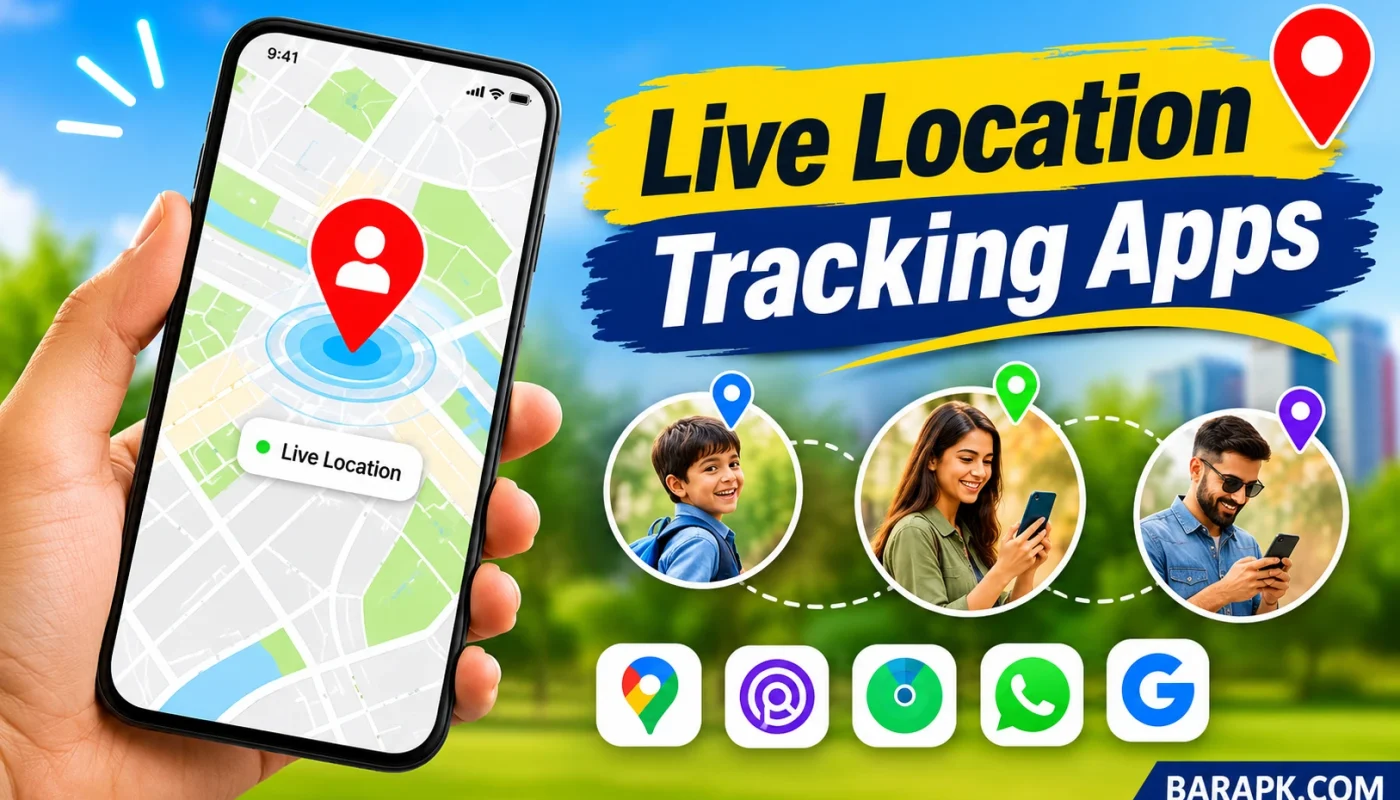
The Best Live Location Tracking Apps make it easier than ever to stay connected with family, friends, and loved ones, no matter how far away they are. Imagine you’re waiting for a friend at a busy shopping mall, your family member is traveling to another city, or you simply want to know whether your child has reached school safely. Instead of making repeated phone calls or sending endless messages, you can use a live location tracking app to share and view real-time locations directly from your smartphone.
Today, GPS technology has made location sharing more convenient, accurate, and accessible. Whether you use an Android phone or an iPhone, several applications offer useful features such as real-time GPS tracking, location alerts, family safety tools, and temporary location sharing.
However, choosing the right application can be confusing because not every location tracker offers the same features. Some apps are designed for everyday location sharing, while others focus on family safety, finding lost devices, or sharing temporary travel updates.
In this guide, we’ll explore the 7 Best Live Location Tracking Apps for Android & iPhone, compare their features, and explain how to use them. We’ll also discuss free GPS tracking apps, privacy settings, and practical tips to help you choose the right option for your needs.
What Are Live Location Tracking Apps?
Live location tracking apps are mobile applications that use GPS (Global Positioning System), internet connectivity, and smartphone location services to determine and share a device’s current location. They allow users to share their movements with selected people, usually through a map that updates as they travel.
For example, imagine your brother is driving to your home from another city. Instead of asking him every few minutes where he is, he can share his live location with you. You can then follow his journey on a map and get a better idea of when he’ll arrive.
Most mobile location tracking apps offer features such as:
- Real-time GPS tracking: View a person’s shared location as it updates.
- Location sharing: Send your current or live location to friends and family.
- Location alerts: Receive notifications when participating family members enter or leave selected places.
- Location history: Review previous location information when the app supports it.
- Device finding: Locate compatible phones and other registered devices.
- Privacy controls: Choose who can see your location and when sharing should stop.
It’s important to understand that legitimate location-sharing apps generally require the device owner’s permission and appropriate location settings. They should be used for transparent communication and safety, not secret surveillance.
7 Best Live Location Tracking Apps for Android & iPhone
Let’s look at seven popular options that offer different approaches to live location sharing. Some are excellent for everyday use, while others are more suitable for families, Apple users, or temporary location updates.
1. Google Maps – Best Overall Live Location Sharing App
Google Maps is one of the most convenient choices for anyone looking for the best live location tracking apps. Although most people use it for navigation and finding nearby places, it also includes a useful location-sharing feature.
With Google Maps, you can share your real-time location with selected contacts. This makes it easier for friends and family to follow your journey without installing a separate tracking application.
For example, if you’re traveling to meet someone in an unfamiliar area, you can share your live location so they can see your progress. You can also choose how long your location remains visible.
Key Features:
- Real-time location sharing with selected contacts.
- Location sharing through a Google account or link, depending on the available option.
- Customizable sharing duration.
- Integration with Google Maps navigation.
- Support for Android and iPhone.
- Easy-to-use interface.
Pros:
- Simple and convenient for everyday use.
- Works across Android and iOS.
- No separate tracking subscription is required for basic sharing.
Cons:
- Requires an internet connection for live updates.
- Advanced family safety features are limited compared with dedicated family locator apps.
Google Maps is an excellent starting point if you want a reliable, straightforward way to share your location without paying for a premium tracking service.
2. Life360 – Best Family Location Tracking App
Life360 is a popular choice for families who want to stay connected throughout the day. Unlike basic live location sharing apps, it focuses on family coordination and safety features.
The application allows family members to create private groups called Circles. Once members join a Circle and enable location sharing, they can view participating members on a shared map.
For example, parents can use Life360 to check whether their children have reached school or returned home. Depending on the subscription, supported features may also include place alerts, driving reports, and additional safety services.
Key Features:
- Real-time family location sharing.
- Private family Circles.
- Place alerts for selected locations.
- Driving and safety features.
- Location history options.
- Optional premium subscription features.
Pros:
- Designed specifically for family coordination.
- Useful location notifications.
- Available for Android and iPhone.
Cons:
- Some advanced features require a paid subscription.
- Continuous location sharing may increase battery consumption.
- All participating members should understand and agree to location sharing.
Life360 is worth considering if family safety and regular location updates are more important to you than simple one-time location sharing.
3. Find My – Best Location Tracking App for iPhone Users
If you own an iPhone, Find My is one of the most useful built-in location services available. Developed by Apple, this application combines people and device location features in one place.
You can use Find My to share your location with friends or family members who use compatible Apple devices. It also helps locate supported Apple devices, including an iPhone, iPad, Apple Watch, or AirTag.
Imagine you’ve misplaced your iPhone somewhere inside your house. You can use Find My on another compatible Apple device to help locate it.
Key Features:
- Share your location with friends and family.
- View locations of people who have shared with you.
- Find supported Apple devices.
- Use location notifications where available.
- Integration with Apple’s ecosystem.
- Privacy controls for managing location sharing.
Pros:
- Built into Apple’s ecosystem.
- Convenient for iPhone and other Apple device owners.
- No separate subscription is required for basic Find My functionality.
Cons:
- Best suited to Apple users.
- Some features depend on device compatibility and Apple’s ecosystem.
- Not a universal tracking solution for Android phones.
Find My is an excellent option if you’re searching for the best location tracking apps for iPhone and want a convenient solution without downloading another application.
4. Glympse – Best for Temporary Location Sharing
Sometimes, you don’t need to share your location all day. You simply want someone to know where you are while traveling or heading toward a meeting point.
That’s where Glympse becomes useful.
Glympse focuses on temporary location sharing, allowing users to share their location with others for a limited period. Depending on the available sharing method, recipients can view a location through a link without necessarily creating an account or installing the app.
For instance, if you’re driving to meet a friend, you can send a Glympse so they can follow your journey. Once the sharing period expires, the temporary link stops providing live updates.
Key Features:
- Temporary live location sharing.
- GPS-based location updates.
- Shareable location links.
- Useful for travel and meeting arrangements.
- Android and iPhone support.
Pros:
- Convenient for temporary location sharing.
- Useful when coordinating meetings.
- Avoids the need for permanent location sharing.
Cons:
- Not designed as a complete family safety platform.
- Features and availability may vary.
- Live updates depend on device settings and internet connectivity.
Glympse is a practical choice for people who want to share their location temporarily without keeping their movements visible indefinitely.
5. Family Locator – Best for Family Safety
Family Locator is a name used by multiple location-sharing services, so it’s important to check the developer before downloading an application. Family-focused locator apps generally help relatives stay connected through shared maps and location notifications.
These applications are particularly useful for families with children, older relatives, or members who regularly travel alone.
For example, parents may want to know when a child arrives at school. A family locator app with supported place alerts can notify participating members when someone enters or leaves a selected location.
Key Features to Look For:
- Real-time location sharing.
- Private family groups.
- Place-based notifications.
- Location history, where supported.
- Customizable privacy settings.
- Android and iPhone compatibility, depending on the specific app.
Pros:
- Useful for family coordination.
- Can simplify everyday communication.
- Some services offer free basic features.
Cons:
- Features vary significantly between developers.
- Advanced services may require subscriptions.
- Location sharing requires appropriate permissions and participation.
Before installing a Family Locator application, check its official developer, recent reviews, privacy policy, and subscription details. This helps you avoid confusing similarly named apps or downloading an unreliable service.
6. GeoZilla – Best for Smart Family Location Sharing
GeoZilla is another family-oriented application worth considering when comparing the best GPS location tracking apps. It focuses on helping family members coordinate their daily activities through location-sharing and safety-related features.
The application offers a shared location experience that can help participating relatives stay informed about one another’s journeys.
For example, if your family members regularly travel between home, school, and work, a family location-sharing service can make coordination easier. Instead of constantly asking everyone for updates, you can check the shared map when location sharing is enabled.
Key Features:
- Family location sharing.
- GPS-based location updates.
- Location-related notifications.
- Family coordination features.
- Optional premium services.
- Smartphone compatibility, subject to current app availability.
Pros:
- Designed around family location sharing.
- Useful for coordinating everyday journeys.
- Offers features beyond basic location sharing.
Cons:
- Some features may require a subscription.
- Battery and background-location settings can affect performance.
- Users should review its privacy and data-sharing policies.
GeoZilla can be a useful option for families who prefer a dedicated application rather than relying on messaging apps for location updates.
7. WhatsApp – Best for Simple Live Location Sharing
You probably already use WhatsApp to communicate with friends, family, and colleagues. But did you know it also offers a live location-sharing feature?
WhatsApp makes it easy to share your location directly inside individual and group chats. You can choose a sharing duration, allowing selected contacts to see your location while the feature remains active.
For example, suppose you’re visiting a new restaurant and your friend cannot find the entrance. You can share your live location through WhatsApp so they can see where you’re waiting.
Key Features:
- Live location sharing in individual and group chats.
- Multiple sharing-duration options.
- Simple location sharing without a separate tracking account.
- Android and iPhone compatibility.
- End-to-end encryption for supported personal messages and calls.
Pros:
- Easy to use.
- Convenient for existing WhatsApp users.
- Free to use, apart from internet or mobile data charges.
- Suitable for temporary location sharing.
Cons:
- Not a dedicated family tracking application.
- No comprehensive family safety dashboard.
- Live updates stop when sharing expires or is manually stopped.
WhatsApp is one of the most convenient live location sharing apps for people who want to share their whereabouts quickly without installing another application.
Comparison of the 7 Best Live Location Tracking Apps
Choosing between the best live location tracking apps depends on what you want to accomplish. Some applications focus on simple location sharing, while others provide additional family safety and device-finding features.
Here’s a quick comparison to help you make your decision.
| App Name | Android | iPhone | Free Basic Option | Best For |
|---|---|---|---|---|
| Google Maps | Yes | Yes | Yes | General location sharing |
| Life360 | Yes | Yes | Yes | Family safety |
| Find My | No | Yes | Yes | Apple users |
| Glympse | Yes | Yes | Yes | Temporary sharing |
| Family Locator | Depends on app | Depends on app | Varies | Family coordination |
| GeoZilla | Yes | Yes | Varies | Family location sharing |
| Yes | Yes | Yes | Quick location sharing |
Note: Features, pricing, and availability can change depending on your country, device, and application version.
Using a live location tracking application doesn’t have to be complicated. Most popular apps offer straightforward options that allow you to share your location with selected contacts in just a few steps.
Here are some easy methods for Android and iPhone users.
If you have an Android smartphone, Google Maps and WhatsApp are two convenient options for sharing your real-time location.
Using Google Maps:
- Open Google Maps on your Android smartphone.
- Tap your profile picture in the top-right corner.
- Select Location Sharing.
- Tap New Share.
- Choose how long you want to share your location.
- Select a contact or copy the sharing link.
- Tap Share to send your location.
The selected person can then view your shared location on a map.
Using WhatsApp:
- Open WhatsApp.
- Select the individual or group chat.
- Tap the attachment icon and select Location.
- Choose Share Live Location.
- Select your preferred sharing duration.
- Tap Send.
Your selected contacts can now view your live location until you stop sharing or the selected duration expires.
iPhone users can share their locations through Apple’s Find My application, Google Maps, or WhatsApp.
Using Apple Find My:
- Open the Find My application.
- Select the Me tab.
- Enable Share My Location.
- Open the People tab.
- Tap the Add button.
- Select Share My Location.
- Choose the contact you want to share your location with.
- Select the sharing duration.
Your selected contact can now see your shared location through Apple’s Find My service.
Using Google Maps:
- Open Google Maps on your iPhone.
- Tap your profile picture.
- Select Location Sharing.
- Tap New Share.
- Choose the sharing duration.
- Select a contact or share a link.
These methods make location sharing simple for both Android and iPhone users.
Tips to Improve GPS Location Tracking Accuracy
Even the best GPS location tracking apps cannot guarantee perfect accuracy in every situation. Your phone’s GPS hardware, internet connection, surroundings, and location permissions can all affect tracking performance.
Fortunately, a few simple adjustments can improve your experience.
1. Enable Location Services
Make sure location services are enabled on your smartphone. Without the necessary location permissions, tracking applications may not be able to access your current position.
2. Use a Stable Internet Connection
GPS determines your position, while internet connectivity helps many apps transmit location updates to other users. A stable Wi-Fi or mobile data connection can help keep shared locations updated.
3. Allow Necessary Background Permissions
Some live location sharing apps need permission to access your location while running in the background. Check your phone settings and allow the appropriate permissions if you want continuous sharing.
4. Keep Your Applications Updated
App updates can include performance improvements, bug fixes, and security enhancements. Keeping your applications updated can help prevent common location-sharing problems.
5. Check Battery Optimization Settings
Some smartphones restrict background activity to save battery power. These restrictions can delay location updates in certain applications.
If live tracking stops unexpectedly, check whether battery optimization is limiting the app.
6. Avoid GPS Interference
Tall buildings, underground parking areas, tunnels, and enclosed spaces can interfere with GPS signals. Moving to an open area may help your phone determine its position more accurately.
7. Review Location Permissions Regularly
Only allow trusted applications to access your location. You should also review which contacts can see your shared location and disable access whenever you no longer need it.
Frequently Asked Questions (FAQs)
Here are answers to some common questions about the best live location tracking apps for Android and iPhone.
What is the best live location tracking app for Android?
Google Maps is one of the best choices for Android users who want simple and reliable live location sharing. It allows you to share your real-time location with selected contacts or through a link. Life360 is another option if you need additional family safety and location notification features.
Which is the best location tracking app for iPhone?
Apple Find My is an excellent choice for iPhone users because it is integrated into Apple’s ecosystem. It allows you to share your location with friends and family and locate compatible Apple devices. Google Maps and WhatsApp are also useful alternatives for sharing locations with people using different smartphones.
Yes, several free GPS tracking apps allow you to share your live location without purchasing a premium subscription. Google Maps, WhatsApp, and Apple Find My offer basic location-sharing features at no additional app subscription cost. However, mobile data charges may apply, and some applications reserve advanced features for paid plans.
Which app provides the most accurate GPS tracking?
GPS accuracy depends more on your smartphone’s hardware, signal conditions, and location settings than on the application alone. Google Maps, Apple Find My, and other established location-sharing services can provide useful location information when the device has a reliable GPS signal and connectivity. No application can guarantee exact positioning in every environment.
Can Google Maps track someone’s live location?
Google Maps can display another person’s real-time location when that person has voluntarily shared it with you. You cannot use Google Maps to secretly access someone’s location. The person sharing their location controls who can see it and how long sharing remains active.
Is Life360 better than Google Maps?
It depends on your requirements. Life360 is more focused on family location sharing, place alerts, and safety-related features. Google Maps is generally more convenient for everyday location sharing and navigation. If you only need to share your location occasionally, Google Maps may be sufficient.
Yes, if you already have a suitable application installed on your smartphone. For example, WhatsApp offers live location sharing, while iPhone users can use the built-in Find My service. Google Maps also provides location-sharing functionality.
Do live location tracking apps work without the internet?
Most live location sharing applications require an internet connection to transmit location updates to other people. Your smartphone may still determine its GPS position without mobile data or Wi-Fi, but other users generally won’t receive continuous updates until connectivity is restored. Some device-finding services have limited offline capabilities, depending on the device and supported network.
Can someone track my location without my permission?
Legitimate location-sharing applications generally require location permissions and some form of participation or authorization. However, unauthorized access, compromised accounts, or malicious applications can create privacy risks. Review your phone’s location permissions, check which applications have access to your location, and use strong account passwords.
If you suspect unauthorized tracking, review your device’s security settings and remove unfamiliar applications.
Do location tracking apps drain battery?
Yes, some location tracking applications can consume additional battery power, particularly when they frequently access GPS or run in the background. Battery consumption depends on the app, tracking frequency, smartphone, and background settings. You can reduce unnecessary battery usage by disabling location sharing when it is no longer needed.
Conclusion
Finding the Best Live Location Tracking Apps for Android & iPhone doesn’t have to be difficult. The right application can make everyday communication easier, improve family coordination, and help people share their whereabouts while traveling.
Google Maps is an excellent choice for general-purpose location sharing, while Life360 offers additional tools for families who want location alerts and safety features. Apple Find My is particularly useful for iPhone owners, and Glympse is a practical option for temporary location sharing. Meanwhile, WhatsApp provides a simple way to share your live location directly through conversations.
Family Locator and GeoZilla are also worth exploring if you prefer dedicated family location-sharing services.
Before choosing an application, consider its features, compatibility, pricing, privacy policy, and location-sharing controls. Remember that responsible location tracking should always involve transparency and consent.
Whether you need a simple GPS location tracker, a family safety application, or a convenient way to share your journey with friends, these seven options provide several ways to stay connected. Choose the application that best matches your requirements, configure its privacy settings, and enjoy a more convenient location-sharing experience.